Hello,
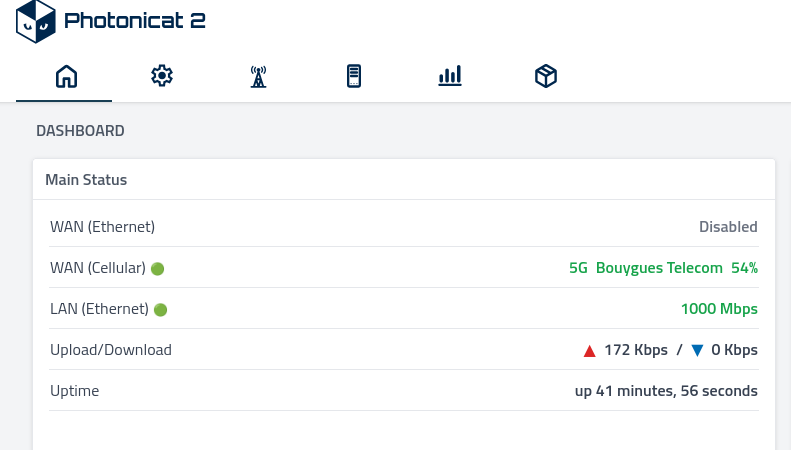
After a reboot (and without moving the device), my Photonicat 2 can no longer get internet connectivity (neither via LAN with a PC nor over WiFi with an Android device).
I tried setting the SIM PIN and manually configuring the APN settings in the Photonicat web UI, force 4G/5G mode but without success. However, if I remove the SIM and insert it into my phone, I can browse the web via 4G/5G without any issues.
Sometimes, if I leave the Photonicat 2 powered off for a long period (e.g., 1 day) and then power it on again, the internet connectivity works temporarily.
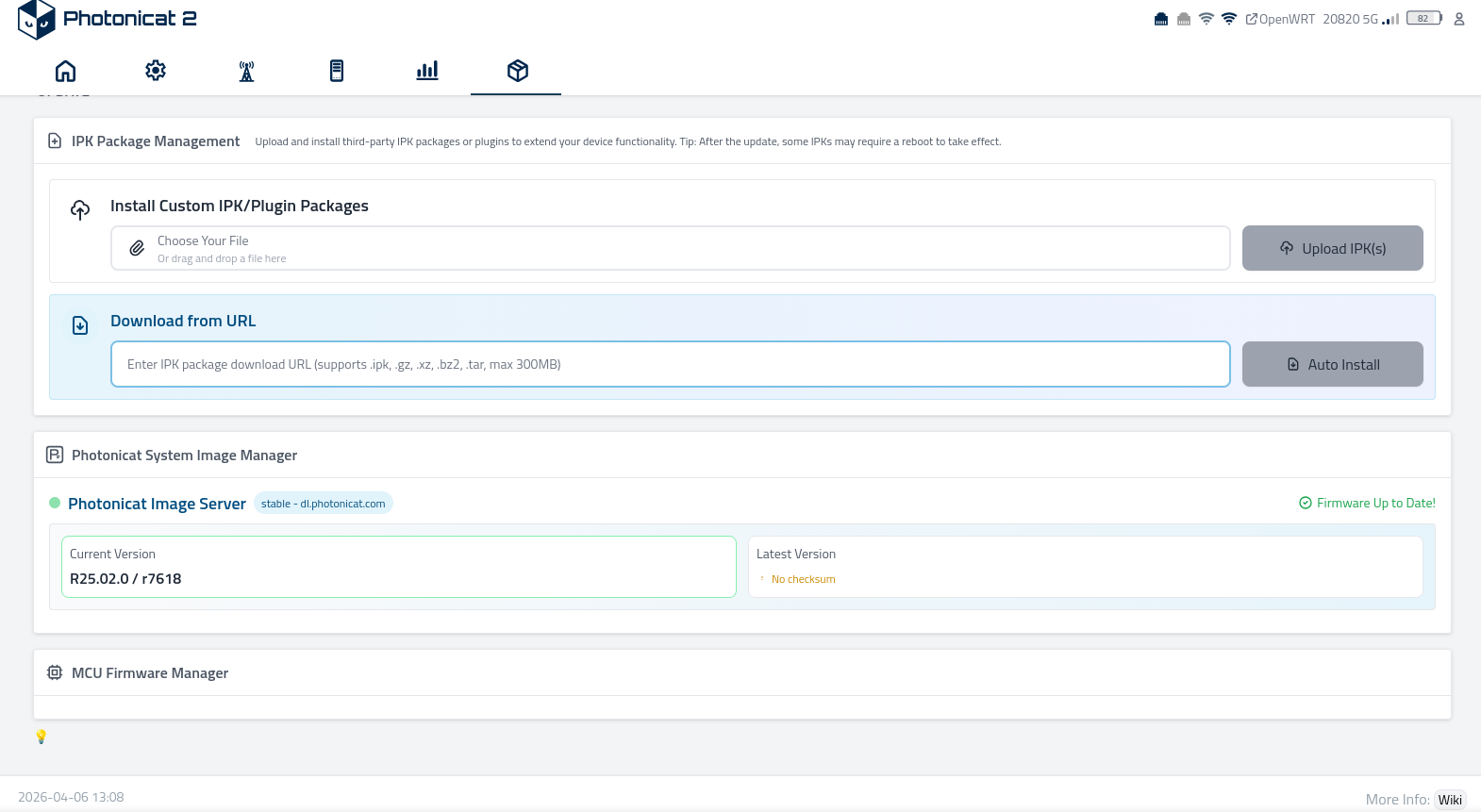
Note : please note Photonicat seem not able to check updates when the problem occur despite 4G connectivty
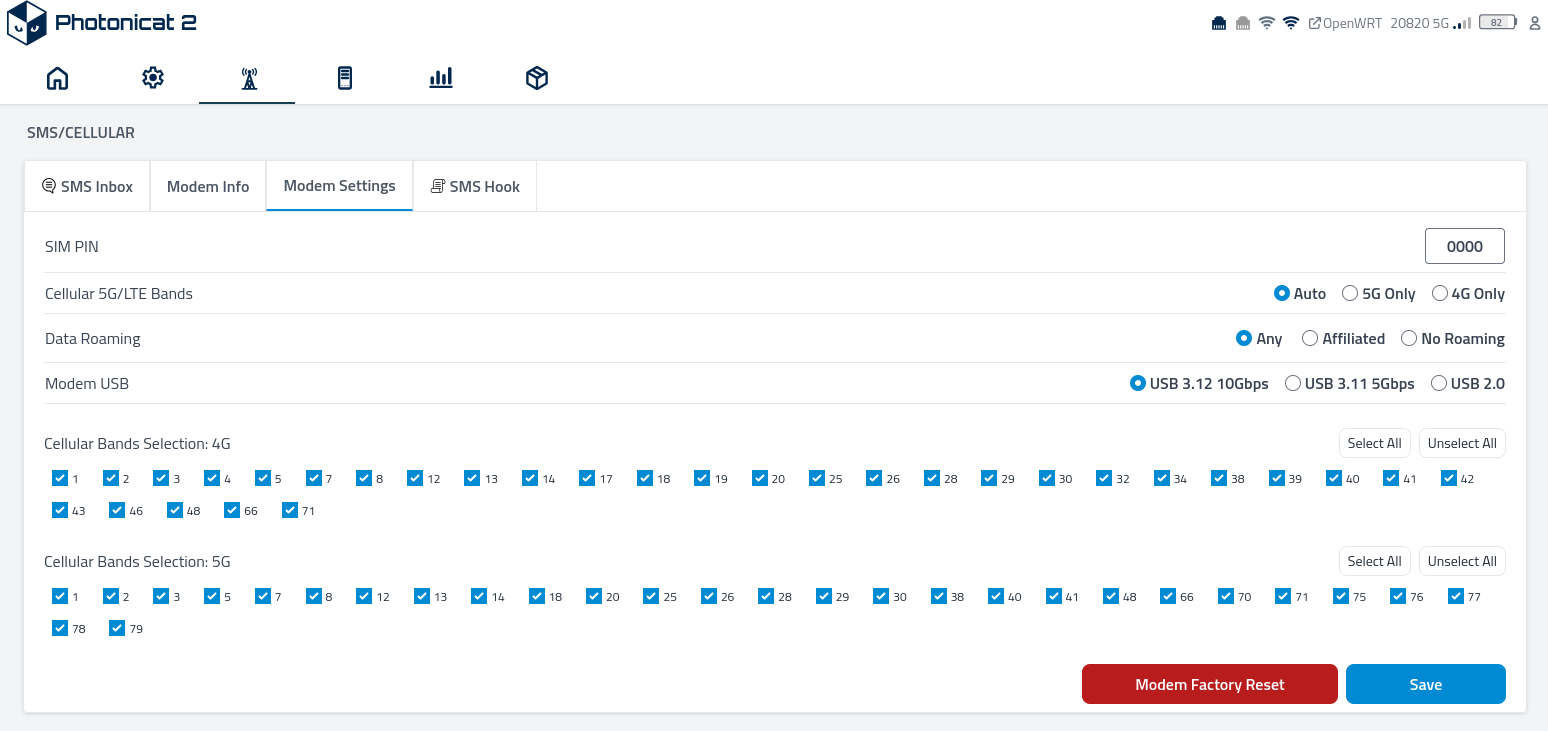
Could you please let us know which 4G/5G mode is currently selected on your device?
What specific modem firmware or model is installed in your unit? Modem
Modem Model RM520N-GL
Modem Firmware Version RM520NGLAAR03A03M4G
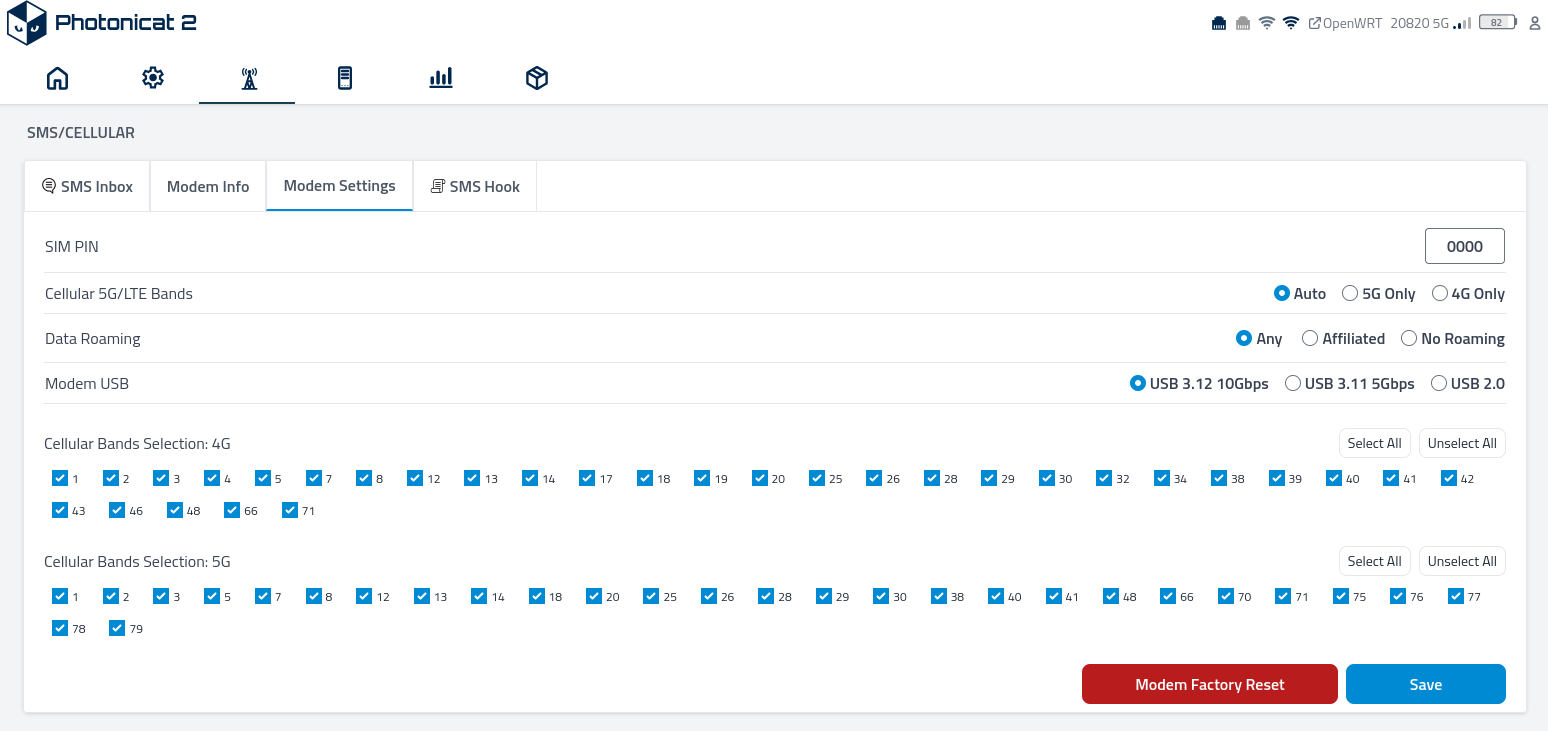
Please set the USB mode to 2.0 and check whether it works properly.
Are you sure ? Aside from the USB-C port used for charging, I do not have any USB devices connected. I am only using Ethernet LAN and PCI-E Wi-Fi."
Set the Modem USB in the image to USB 2.0 and give it a try.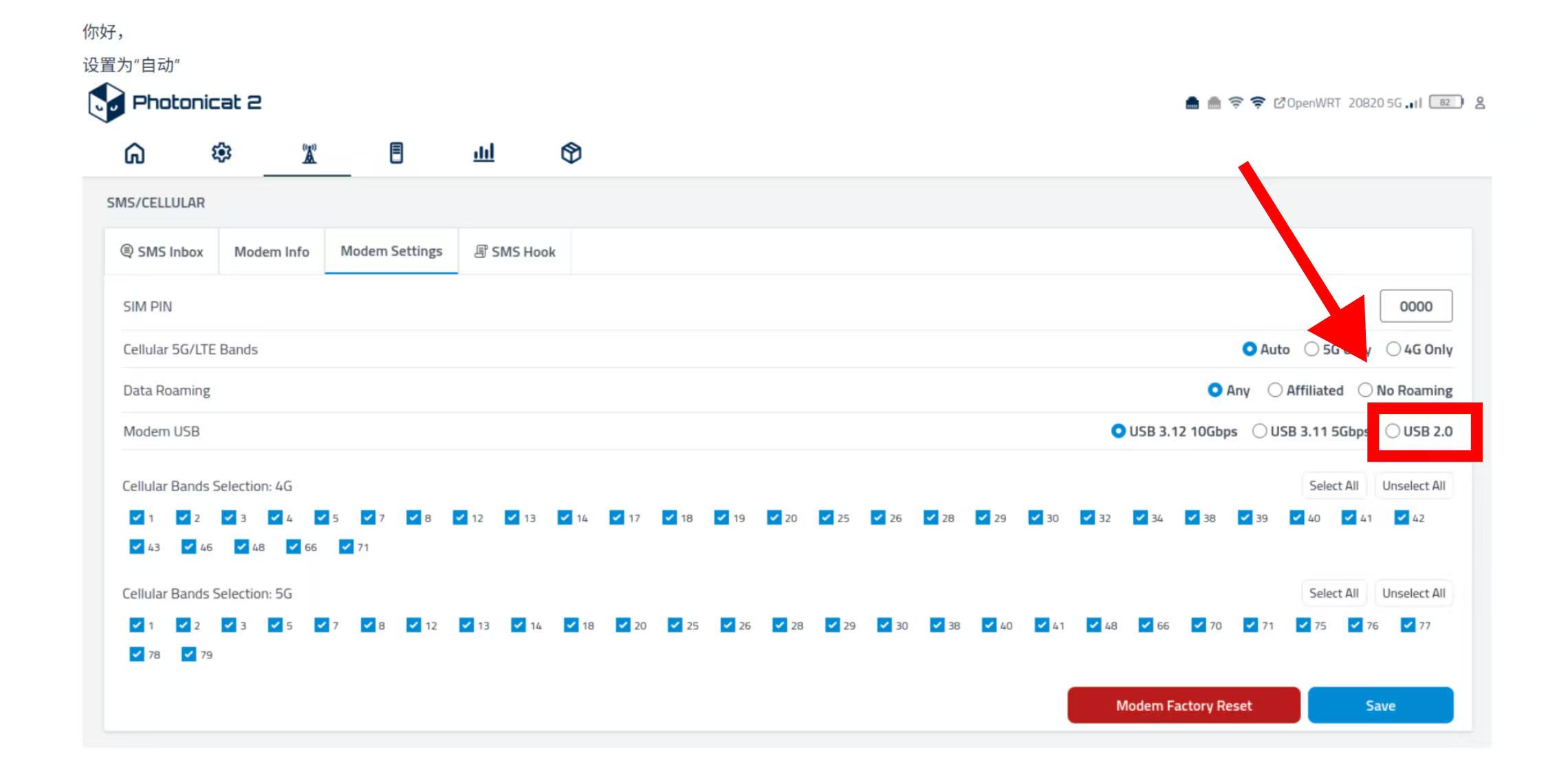
I confirm that setting the modem to USB 2.0 resolved the issue (two consecutive reboots were successful with at least 5 minutes of uptime).
Thank you for your support ! =)
You're very welcome! I'm glad we could help. We are happy to see the issue has been resolved.
Please feel free to reach out to us anytime if you need further assistance.
Am I correct in understanding that forcing USB 2.0 mode in the settings limits the maximum throughput of a modem (e.g., RM520N) to around 400 Mbps?
What is the root cause of this problem, and is there any fix or improvement expected when using USB 3.x?
Hello,
Can you try USB 3.0 (5Gbps) one? Internal USB ports are indeed only supporting USB 2.0 or USB 3.0.